


<< Back to the list of settings
SET.AC. Account
Navigate to “Settings” and select “Profile” from the list of options. This will open the interface for managing profile settings.
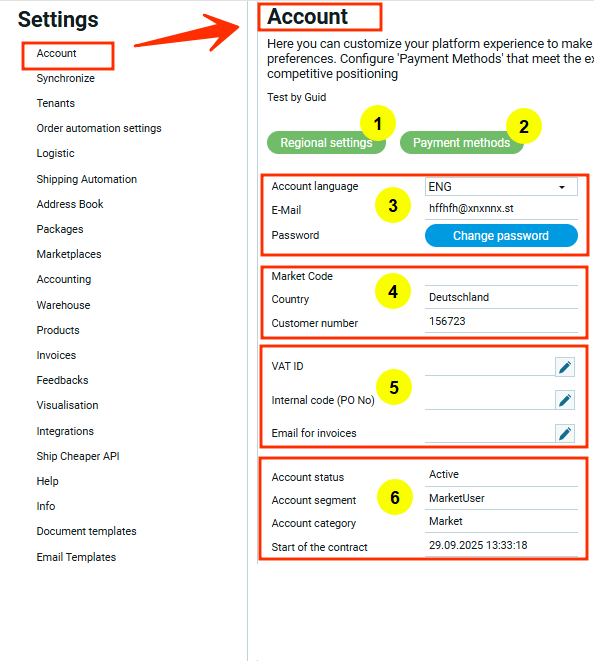
The screenshot highlights 6 main sections, numbered to correspond with the items in the sidebar on the right. Each section provides a more detailed description of the settings. The green buttons (sections 1 and 2) serve as links to settings available in modal windows.
Account Settings
- SET.AC.RE. Regional settings
- SET.AC.PM. Payment methods
- SET.AC.1 Basic settings
- SET.AC.2 Autofill data
- SET.AC.3 Editable data
- SET.AC.4 Account status